What Is a 3D Product Configurator?
What is a 3D product configurator? Learn how it works, why manufacturers use one, and what to consider before building yours.
Short answer
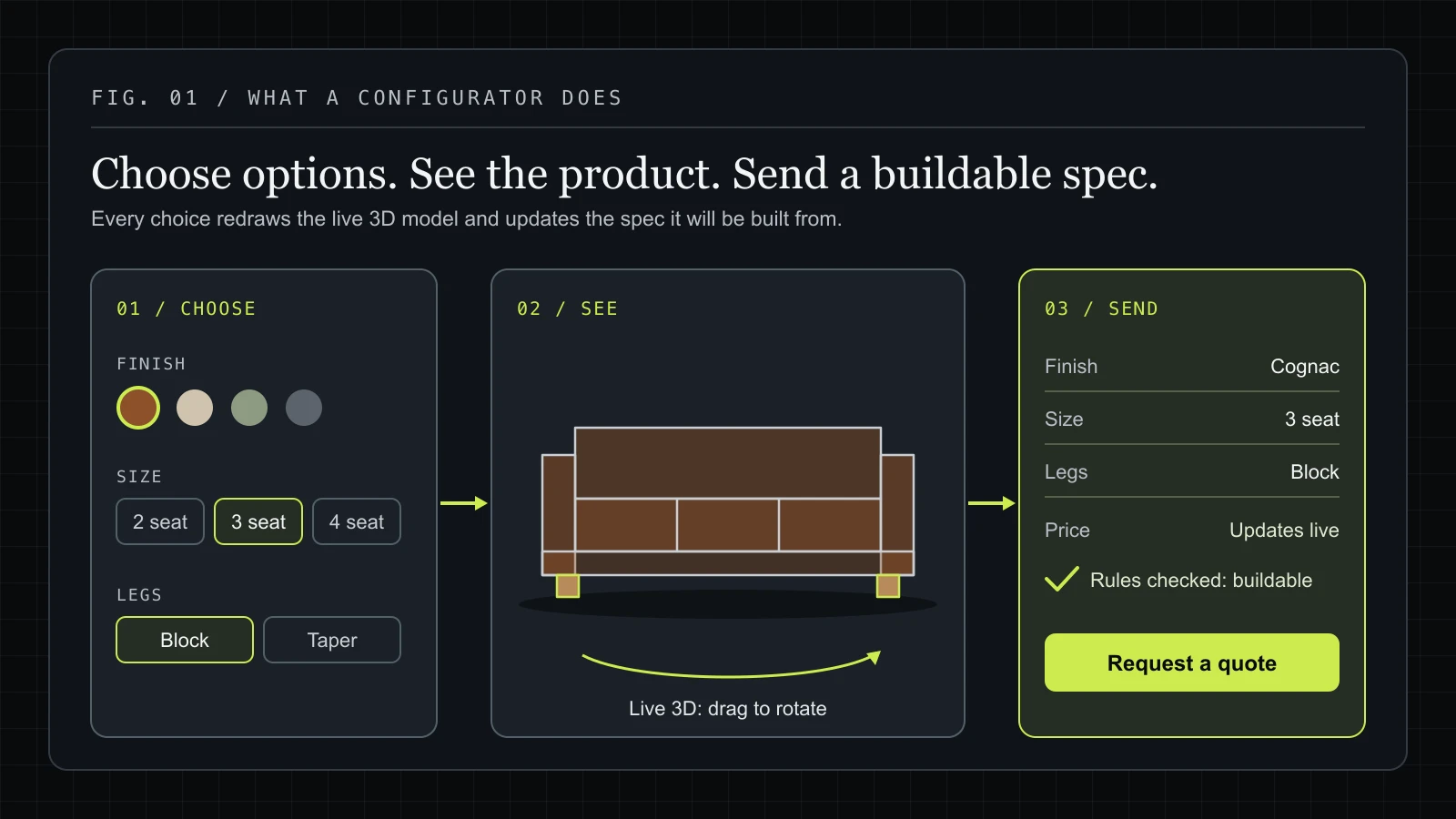
A 3D product configurator is an interactive website tool that lets buyers choose materials, dimensions, components and accessories while seeing their selected product update in three dimensions. It combines a 3D model with configuration logic and an interface, and can include live pricing and a quote request or checkout flow.
If you've ever built a car online (picking the colour, the wheels, the interior trim) and watched it update in real time on screen, you've used a 3D product configurator. It's one of the most powerful tools in modern e-commerce, and it's no longer reserved for automotive giants with million-dollar development budgets.
In this guide, we break down exactly what a 3D product configurator is, how it works under the hood, why businesses use them, and what to consider if you're thinking about building one.
You can try one on our live modular sofa demo: change the layout, seat count, fabric and legs, and the model and the itemized price update as you go.
The Simple Definition
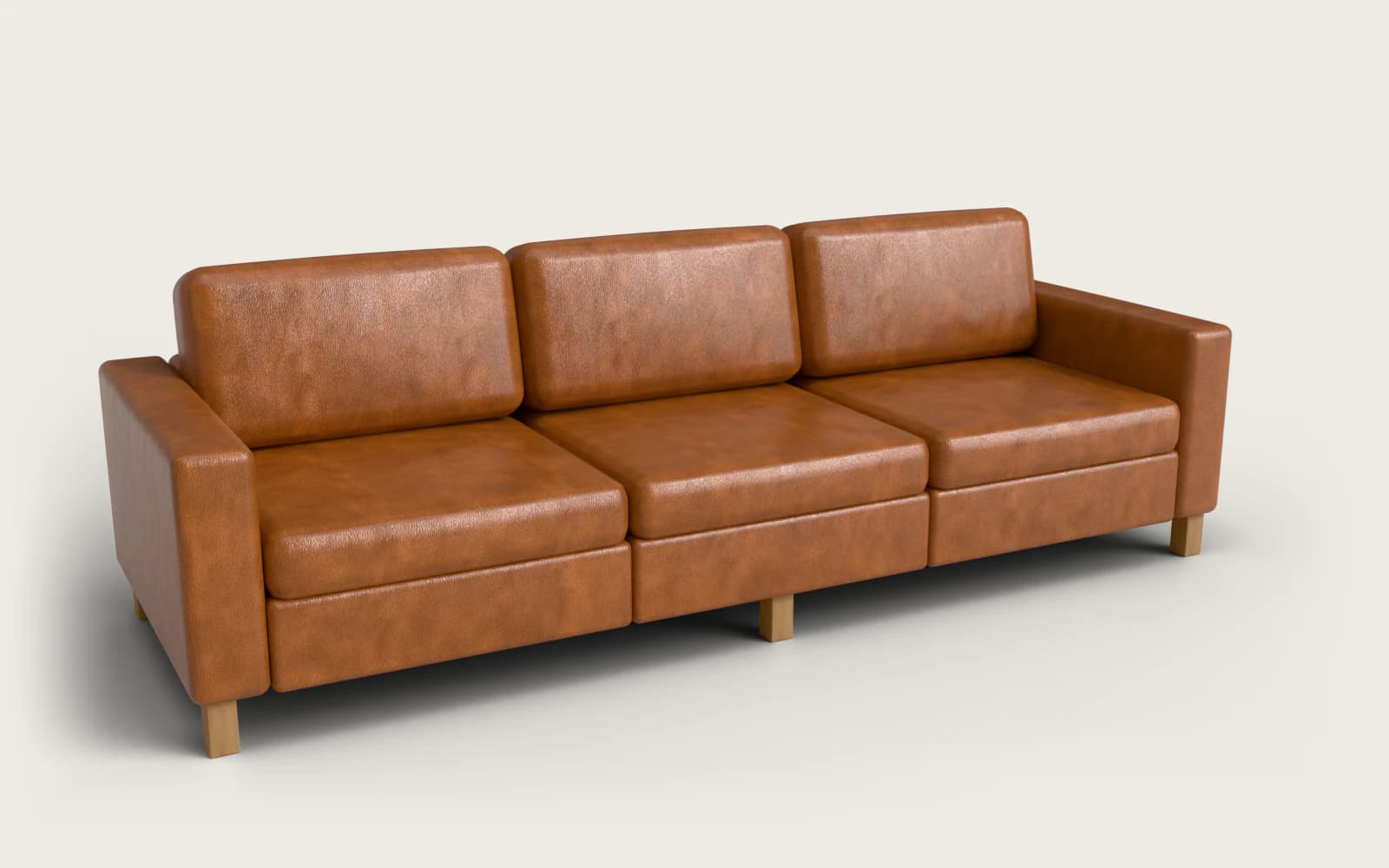
A 3D product configurator is an interactive tool, usually embedded on a website or product page, that lets customers customise a product in real time and see their changes rendered visually in three dimensions.
Instead of a static product photo with a colour dropdown, the customer sees a live 3D model of the product. Change the finish from oak to walnut? The model updates instantly. Swap the leg style? It renders in real time. Add a logo? It appears on the product surface as you upload it.
The result is an experience that feels less like filling out a form and more like actually designing the product yourself.
How a 3D Product Configurator Works
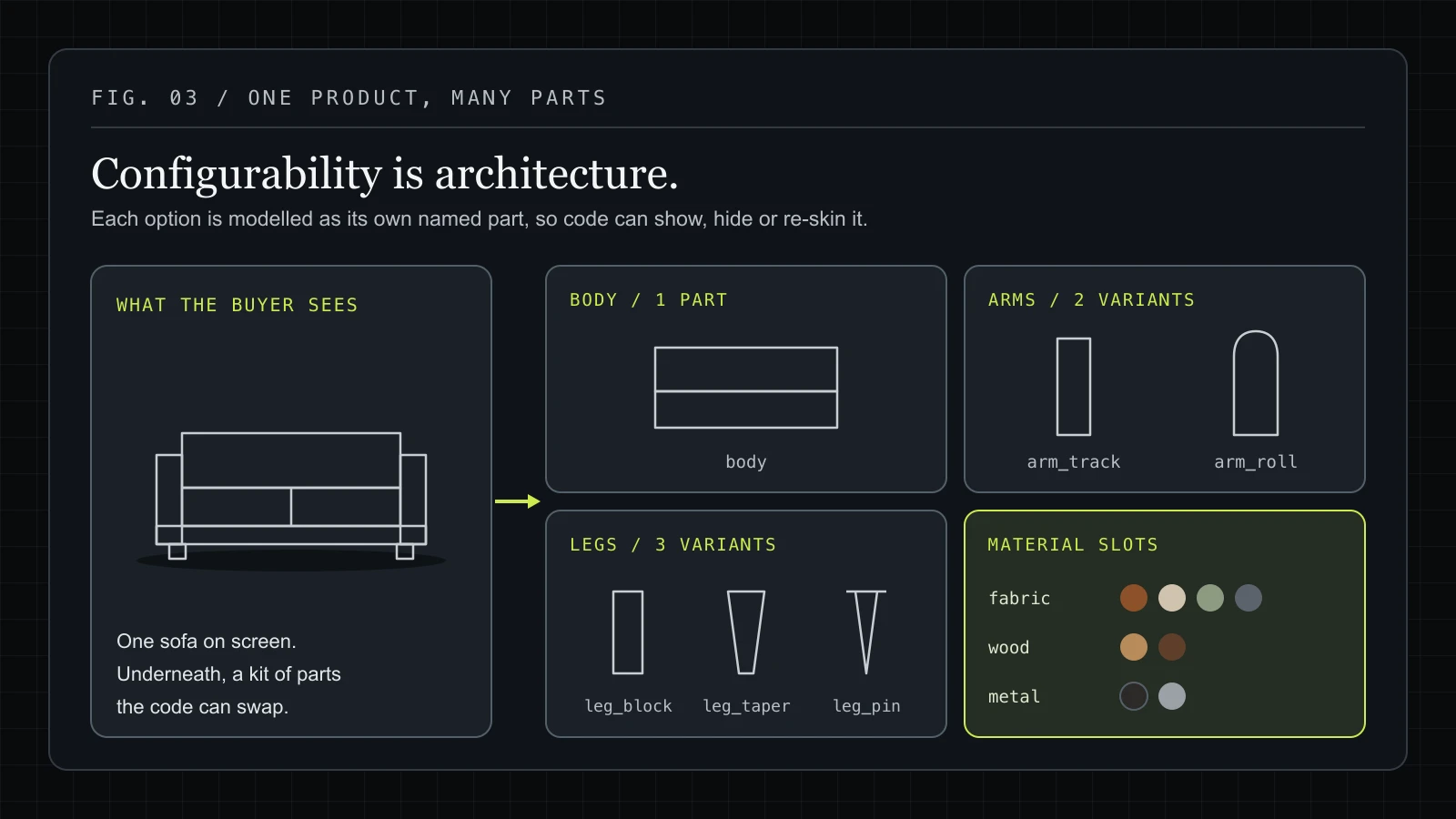
Under the hood, a 3D configurator is the combination of several technologies working together. Understanding each layer helps explain why they're built the way they are.
3D Modelling
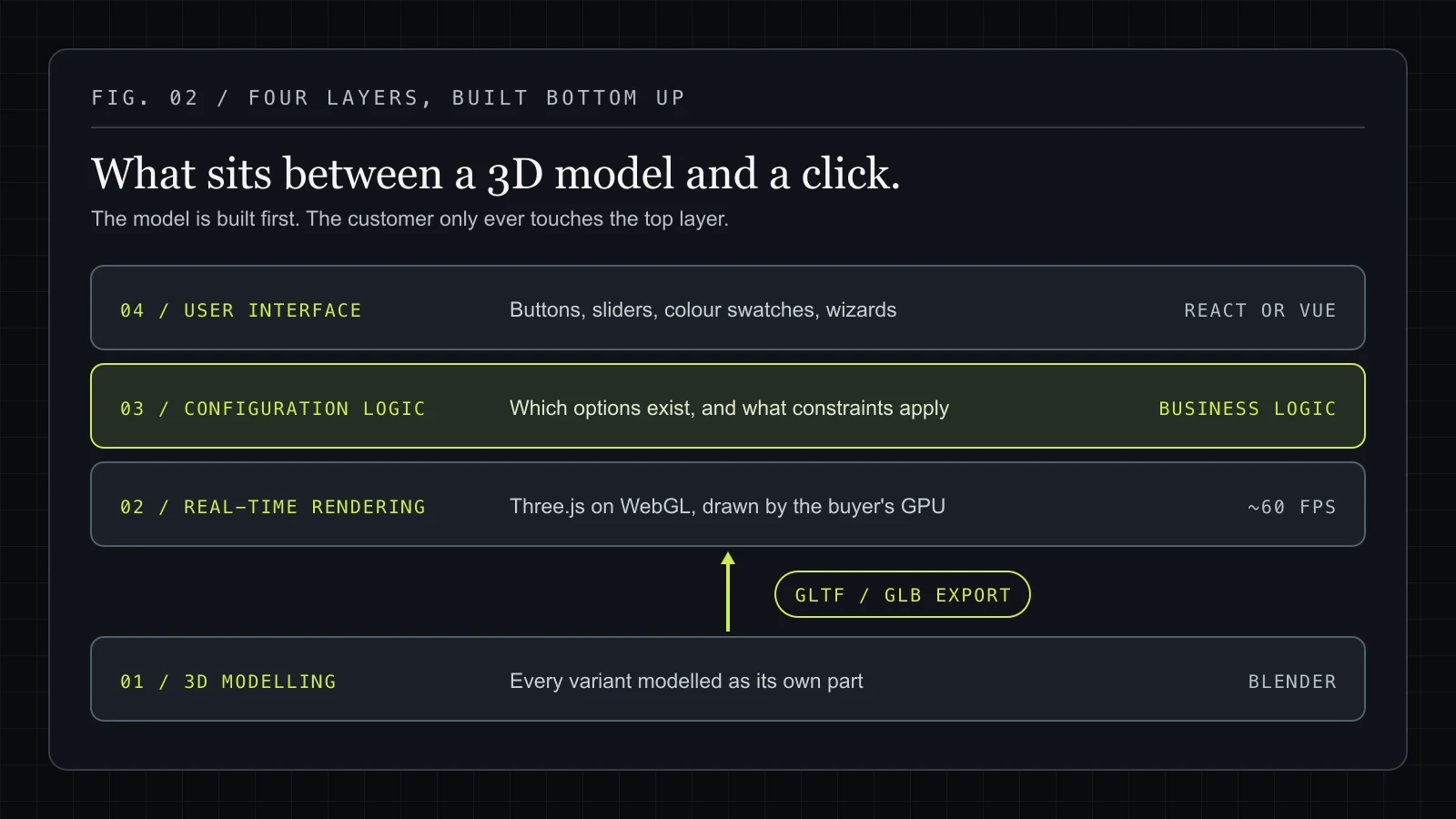
Everything starts in a 3D modelling application, typically Blender, though tools like Cinema 4D and Maya are also used. An artist builds a detailed 3D model of the product: every surface, every edge, every component.
The model needs to be built with configurability in mind. If a chair has three leg options, those leg variants need to be modelled separately. If a door comes in ten colours, the materials need to be set up so they can be swapped programmatically. Good configurator modelling is as much about architecture as it is about artistry.
Once modelling is complete, the assets are exported in an optimised format, almost always GLTF or GLB for web use. These formats are to 3D what JPEG is to images: a compact, web-optimised standard that browsers can load efficiently.
Real-Time 3D Rendering in the Browser
The 3D model is then loaded into a real-time rendering engine running directly in the browser. The most widely used library for this is Three.js, which is built on top of WebGL, a browser API that gives JavaScript direct access to the device's GPU.
This is what makes modern web configurators possible. A decade ago, rendering 3D in a browser required plugins like Flash or Unity Web Player. Today, Three.js and WebGL can produce stunning real-time visuals natively in Chrome, Safari, Firefox, and every modern mobile browser. No plugins required.
The rendering engine handles everything the user sees: lighting, shadows, reflections, material textures, camera angles, and animations. When a customer rotates the product, they're not loading a new image: the GPU is recalculating the 3D scene from their new viewpoint in real time, typically at 60 frames per second.
The Configuration Logic
Above the rendering layer sits the configuration logic: the code that defines what options are available, what changes when a user makes a selection, and what constraints apply.
For example: if a customer selects a glass panel for a door, certain frame styles might become unavailable. If a trailer's body length exceeds a certain value, axle configuration options change. This is the business logic of the configurator, and it's often the most complex part to build, because it has to accurately reflect the real-world constraints of manufacturing the product.
The User Interface
Finally, the UI layer (buttons, sliders, colour swatches, step-by-step wizards) sits on top of the 3D viewport and gives customers a way to interact with it. This is typically built with a modern JavaScript framework like React or Vue.
The best configurator UIs are designed to guide the customer through a decision naturally, without overwhelming them with choices all at once. A guided wizard that walks through category → material → colour → size → accessories tends to convert better than a single screen with thirty simultaneous options.
See how a furniture table configurator handles wood finishes and a basketball court designer applies custom text and logos.
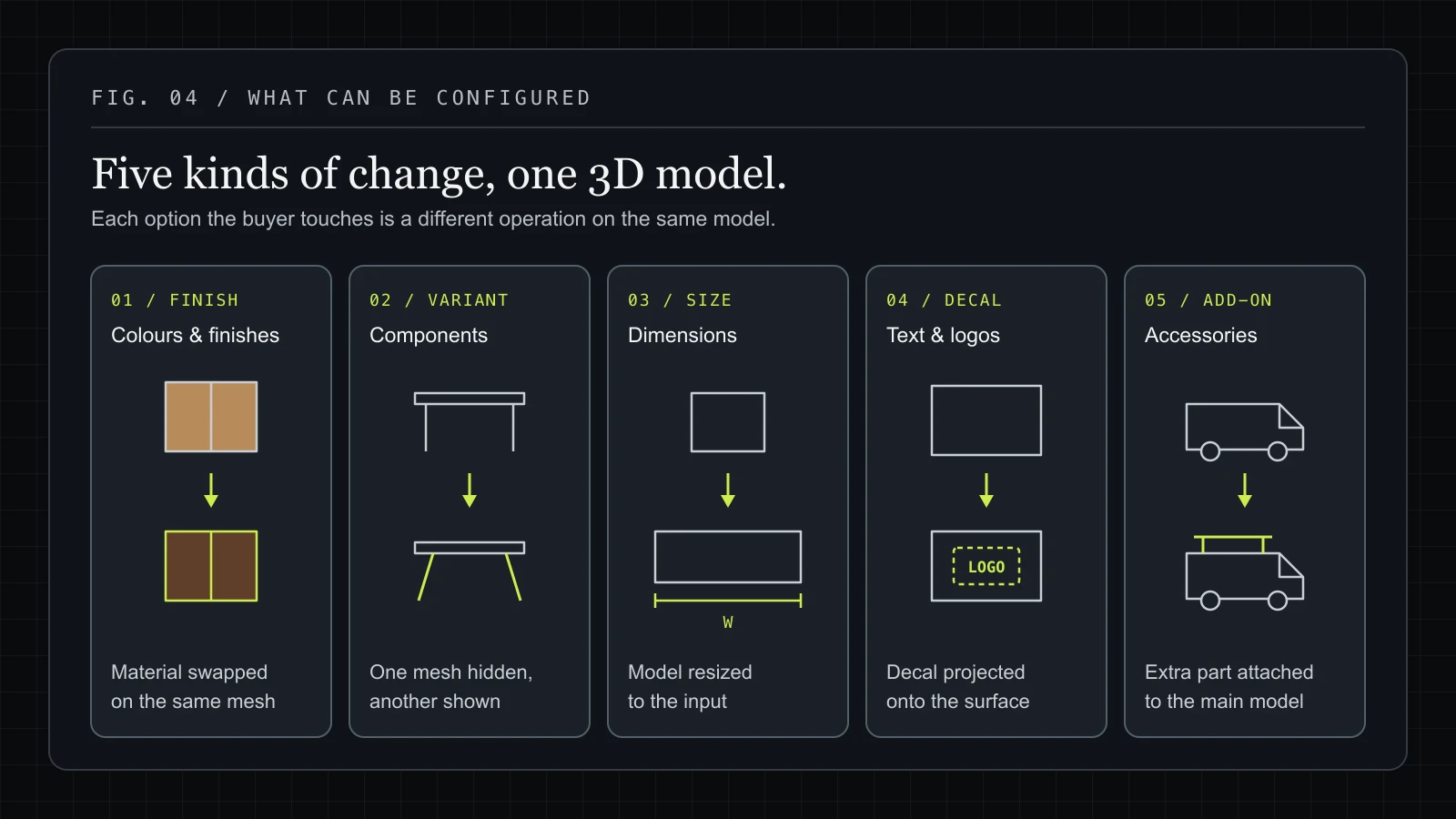
Why Businesses Use 3D Product Configurators
The business case for a 3D configurator comes down to three things: conversion, returns, and differentiation.
Higher Conversion Rates
When a customer can see exactly what they're going to receive (in three dimensions, from every angle), purchase hesitation drops. The mental leap from "I think this is what I want" to "I can see this is exactly what I want" is the difference between adding to cart and bouncing.
This effect is particularly pronounced for high-ticket items. A customer about to spend $3,000 on a custom door or $15,000 on a commercial trailer needs confidence. A 3D configurator provides that confidence visually, in a way that no amount of written copy can match.
Fewer Returns
Product returns cost businesses enormous amounts of money, in logistics, restocking, and customer service. A significant portion of returns come down to expectation mismatch: the product arrived, but it wasn't quite what the customer imagined.
3D configurators close that gap. When a customer has seen their exact configuration rendered from every angle, including the specific colour they chose under realistic lighting conditions, they know what they're getting. The product isn't a surprise.
Competitive Differentiation
In most industries, 3D configurators are still rare enough to be genuinely memorable. A furniture brand whose product page lets you rotate and customise a table in real time stands out dramatically against competitors showing three static photos and a colour swatch.
For premium and custom products especially, the configurator becomes part of the brand experience, a signal that the company takes quality and customer experience seriously.
Better Qualified Leads
For businesses that sell through enquiry rather than direct checkout, a configurator improves lead quality. A prospect who has already configured their exact specification (materials, dimensions, accessories) and then hits "Request a Quote" is dramatically closer to a buying decision than someone who submits a vague contact form. Sales conversations start from a position of clarity rather than discovery. We saw this firsthand with VanHaven's 3D van configurator, where the tool bridges online browsing and in-person consultations for £100K+ bespoke vans.
Types of 3D Product Configurators
Not all configurators are built the same way. The right approach depends on the product and the sales process.
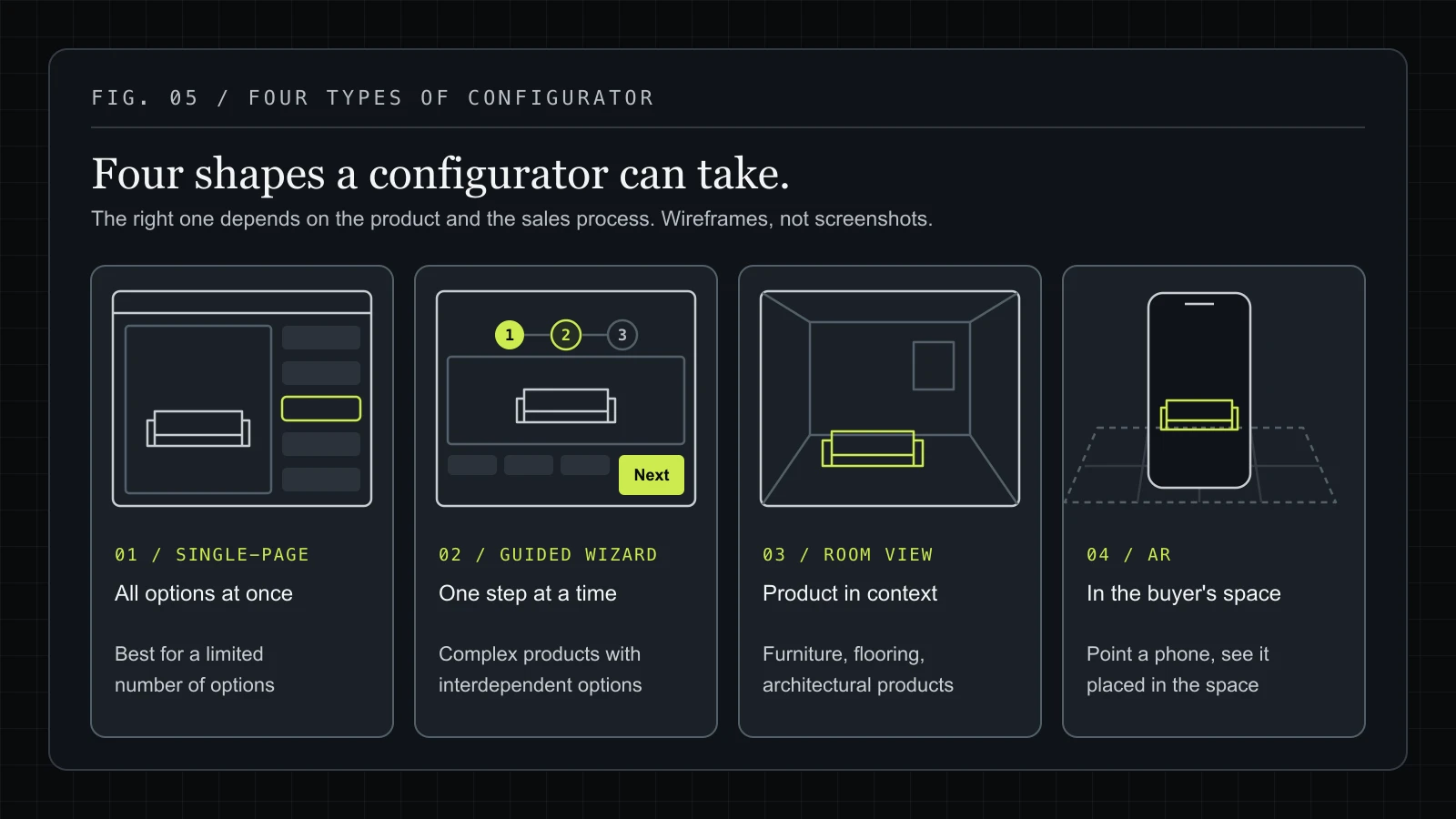
Single-Page Configurators
The simplest type: one screen, one product, all options visible simultaneously. The customer makes selections and the 3D model updates in real time. Best suited for products with a limited number of configuration options.
Guided Wizard Configurators
A step-by-step flow that walks the customer through each decision in sequence. Step 1: choose the base. Step 2: choose the finish. Step 3: choose the hardware. And so on. This approach reduces cognitive load and works well for complex products with many interdependent options, like doors, windows, or custom vehicles.
Room and Environment Configurators
Rather than showing the product in isolation, the customer sees it placed in a room or environment. Particularly powerful for furniture, flooring, and architectural products, where context matters to the buying decision.
AR-Enabled Configurators
Augmented reality extensions that let a customer point their phone at a space and see the configured product placed in it. This is a rapidly developing area, enabled by technologies like Apple's ARKit and Google's ARCore.
3D Configurator vs Standard Product Photos
A common question from businesses considering a configurator is whether it's worth the investment over simply producing high-quality photography for every product variant.
For a product with three colours and two sizes, photography is probably sufficient. But for a product with ten colours, five finishes, three size options, and multiple component choices, the maths change quickly. That's potentially hundreds of photo combinations, each of which needs to be shot, edited, and managed. A 3D configurator replaces all of that with a single interactive model.
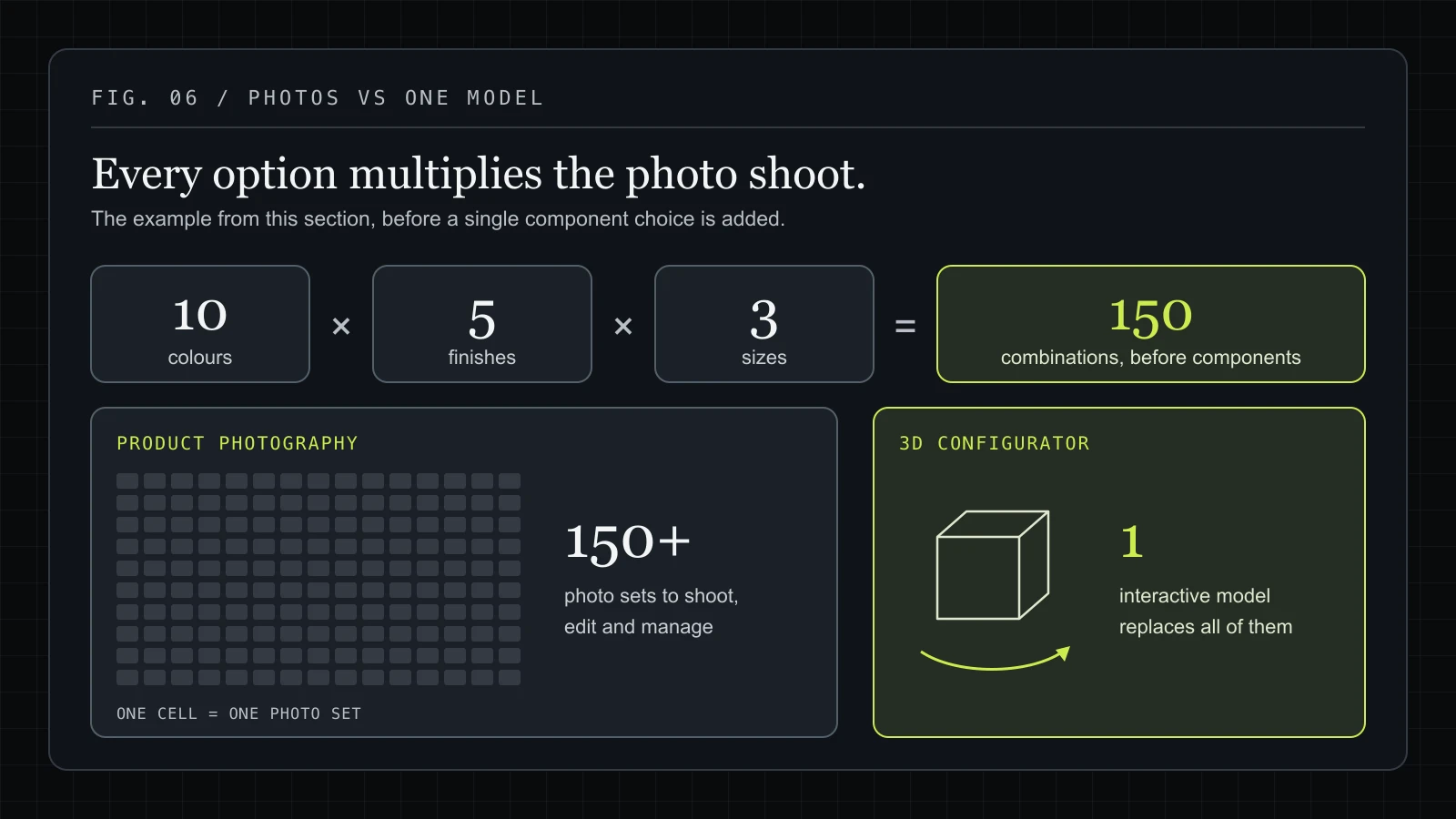
Beyond the practical economics, there's a qualitative difference in the experience. Photography is passive: the customer looks at a photo. A configurator is active: the customer designs the product. That sense of ownership and agency has a measurable effect on purchase intent and satisfaction.
For a fuller breakdown of pricing, cost drivers and hidden costs, see how much a 3D product configurator costs.
The Bottom Line
A 3D product configurator is an interactive, real-time tool that lets customers design and visualise a product before they buy it. Built on technologies like Three.js, WebGL, and Blender, modern configurators run natively in any browser. No plugins, no apps required.
For businesses that sell customisable physical products, they represent a meaningful shift in how customers engage with the buying process: from passive browsing to active designing. The commercial outcomes (higher conversion, fewer returns, better-qualified leads) follow naturally from that shift.
Frequently asked questions
What Can Be Configured?
Should I choose a custom-built or SaaS configurator?
What Does It Cost to Build a 3D Product Configurator?
Is a 3D Configurator Right for Your Business?
Have a product like this?
Email us the details. We'll map out what a configurator could do for your product, zero obligation.